Review the evidence
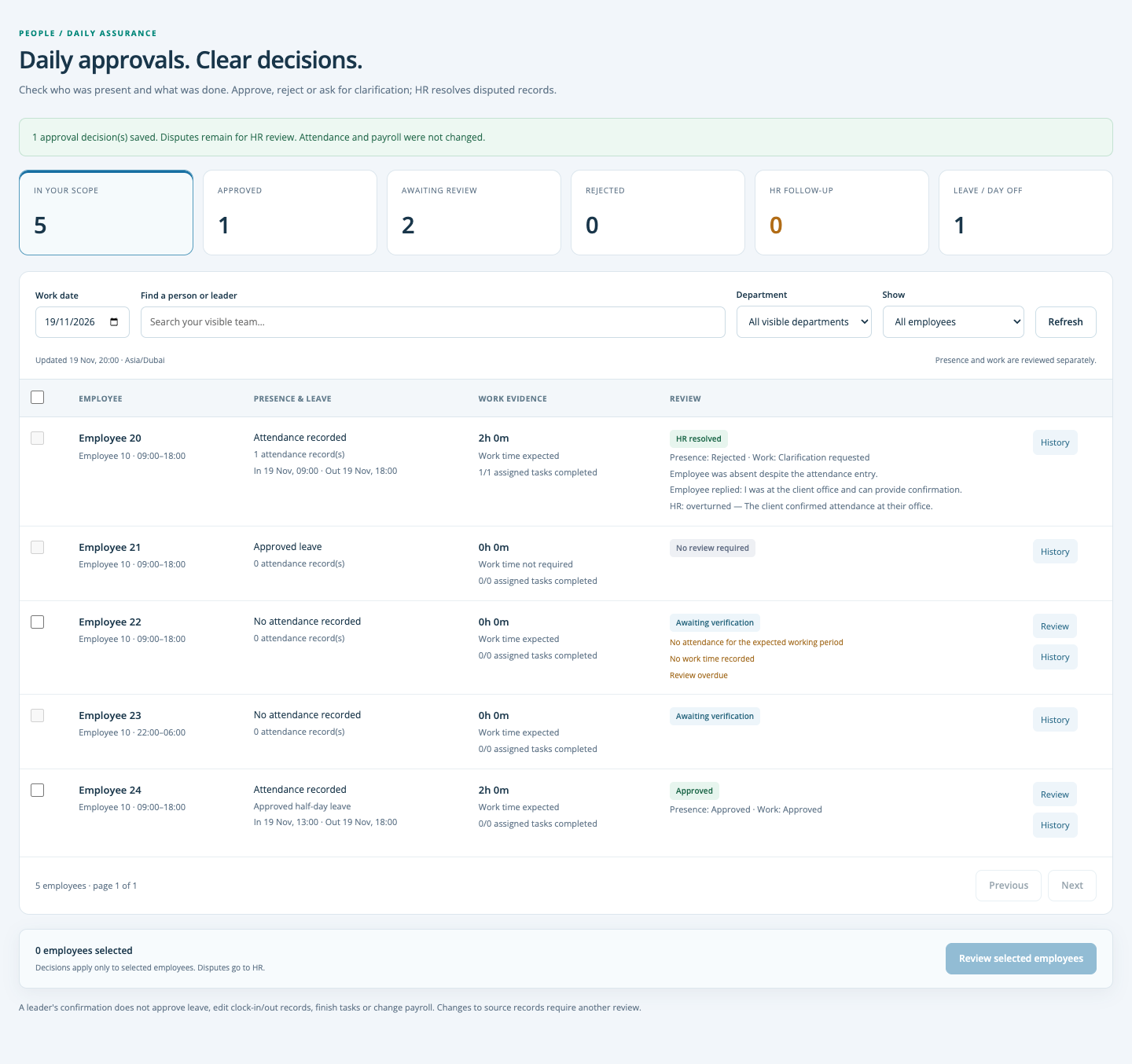
Open the eligible day and employee. Compare attendance, approved leave and tracked-work context.
Stage 1 of 4 · Your role and company settings determine the available action.
Bring attendance, leave and tracked-work evidence into a manager review, with employee explanations and an HR route for disputed decisions.
For teams in the UAE · Company activation and permissions apply
Review team attendance and work evidence without rewriting source records.
Choose a stage to understand what happens next. This is an illustrative walkthrough using sample data.
Open the eligible day and employee. Compare attendance, approved leave and tracked-work context.
Stage 1 of 4 · Your role and company settings determine the available action.
Review presence and work separately; approve, reject or ask for clarification with the required explanation.
Stage 2 of 4 · Your role and company settings determine the available action.
The employee reviews their own decision and can submit an explanation through the enabled workflow.
Stage 3 of 4 · Your role and company settings determine the available action.
Authorised HR upholds, overturns or requests clarification. Original decisions and subsequent outcomes remain in history.
Stage 4 of 4 · Your role and company settings determine the available action.
Reporting managers and HR teams who need an explained, traceable review of daily presence and work.
Team Approvals in CRM/HRM; administrator setup in HRM → Settings → Daily Team Verification.
Compare access, setup & plan scope →Team Approvals decisions do not directly rewrite attendance, leave, task timers or payroll. The CRM pending-count prompt is shown only to eligible users in configured companies. Native app inbox/prompt support requires a matching app release.
Feature scope reviewed 28 November 2026. Confirm the installed release, activation and commercial scope with your administrator or Zeyora before rollout.
No. Source attendance corrections, leave approvals and payroll adjustments follow their existing workflows.
They can submit an explanation. The employee reply alone does not resolve the case; authorised HR records the outcome.
No. The reminder depends on company activation, policy and reviewer eligibility. A designation alone does not grant access.
Review your process, module availability and implementation scope with our team.